KnowHow Shelf
Home / Tech & AI
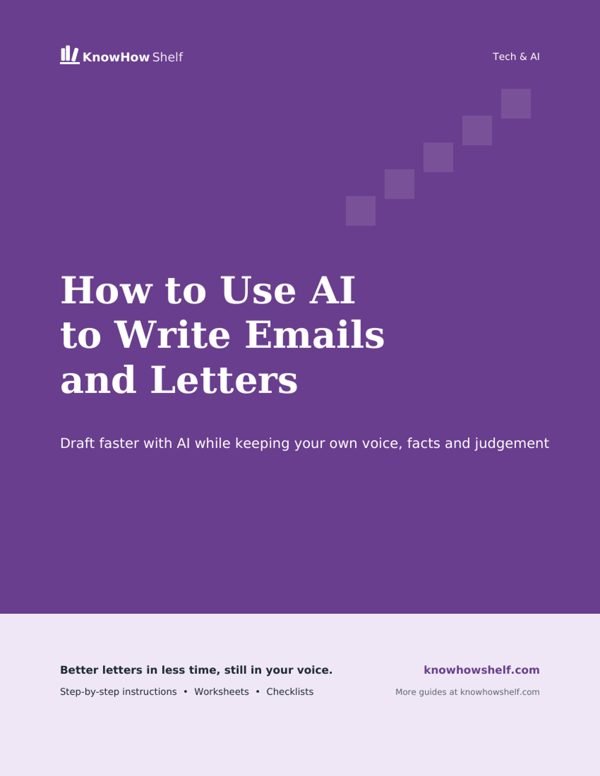
How to Use AI to Write Emails, Letters and Cover Letters PDF guide cover

$4.00 · 8-page PDF · instant download

Secure checkout by Stripe. Instant download after payment. All sales are final once the guide is downloaded.

Tech & AI

How to Use AI to Write Emails, Letters and Cover Letters

Draft faster with AI while keeping your own voice, facts and judgement

What's inside the full guide

  1. What AI Is Good At, and Where It Needs You
  2. The Basic Method for Any Message
  3. Everyday and Work Emails
  4. Formal Letters: Complaints, Requests and Admin
  5. Cover Letters That Still Sound Like You
  6. Make It Sound Like You, Then Check Before Sending
  7. AI Writing Brief Planner (printable worksheet)

Free preview

Writing a tricky email, a formal letter or a cover letter can take far longer than it should. This guide is for anyone who wants to use an AI chatbot such as ChatGPT, Claude, Gemini or Copilot to get a strong first draft quickly, then shape it into something that sounds like them. You will learn what to give the AI, ready-made prompts for common messages, and how to check and personalise every draft before you press send.

What AI Is Good At, and Where It Needs You

AI writing tools are excellent at structure and wording. They can turn rough notes into a clear message, suggest a polite way to say something awkward, adjust tone from casual to formal, and tidy grammar and spelling. They are especially helpful when you are staring at a blank page or are writing in a language you are less confident in.

They are much weaker at the things only you know. An AI does not know your real experience, what happened in a meeting, the history with a particular colleague or what you actually want to happen next. If you do not tell it, it will fill the gaps with plausible-sounding but invented or generic details. Your job is to supply the facts and the judgement; the AI's job is to help with the words.

Let AI help withKeep for yourself
Structuring your points in a logical orderDeciding what you actually want to say
Finding polite wording for a difficult messageFacts, dates, figures and names
Adjusting tone and lengthPromises, commitments and anything legally binding
Checking grammar and clarityYour real experience and achievements
Suggesting subject linesFinal approval before sending
Check the rules: Some employers, schools and application processes have rules about using AI. If in doubt, check their guidance, and be ready to discuss anything you send in your own words.

The Basic Method for Any Message

Whatever you are writing, the same process works. The more specific your input, the less editing you will need afterwards.

  1. Jot down your key points first Before opening the AI, write three to five bullet points: who it is to, why you are writing, the main facts and what you want the reader to do.
  2. Give the AI the full picture Tell it the type of message, the reader, your relationship with them, the tone you want and how long it should be. Paste in your bullet points.
  3. Ask for a draft Let it write a first version. Do not expect perfection; treat it as raw material.
  4. Refine with short instructions Ask for changes such as make it warmer, cut it to five sentences or make the request clearer in the first paragraph.
  5. Edit it yourself Read the draft aloud, correct any facts, remove phrases you would never say and add personal details.
  6. Do a final safety check Confirm names, dates, amounts and attachments, and make sure nothing has been invented.

A sample prompt: Write a short, polite email to my child's school asking whether they can be collected early on Friday 14th for a dental appointment at 2pm. I am writing to the class teacher, whom I have met. Keep it friendly and under 100 words. Do not invent any extra details.

Adding do not invent any extra details is a small habit that prevents a lot of editing later. So is asking for two or three short versions, so you can pick the one closest to how you would naturally write, then refine that one further.

Protect private details: You can write the message with placeholders such as [NAME] or [ACCOUNT NUMBER] and fill in the real details yourself afterwards. Avoid pasting sensitive personal, financial or medical information, or other people's private details, into an AI tool.

Get the rest: the full step-by-step guide plus a printable worksheet for $4.

More Tech & AI guides

How to Use an AI Chatbot Like ChatGPT as a Complete Beginner

$4

How to Spot and Avoid Phishing Scams by Email, Text and Phone

$4

How to Free Up Storage on a Full Phone

$4

How to Speed Up a Slow Computer Without Buying a New One

$4

How to Set Up a Password Manager and Stop Reusing Passwords

$4

How to Write Better Prompts to Get Useful Answers From AI

$4

How to Turn On Two-Factor Authentication for Your Key Accounts

$4

How to Fix Wi-Fi That Keeps Dropping or Running Slow

$4

How to Back Up Your Phone Photos So You Never Lose Them

$4

How to Learn Excel Basics in a Weekend

$4

How to Recover a Hacked Email or Social Media Account

$4

How to Make Your Phone Battery Last All Day

$4

How to Create a Simple Household Budget Spreadsheet

$4

How to Design Social Media Posts in Canva

$4

How to Protect Your Privacy on Facebook and Instagram

$4

How to Choose and Use Cloud Storage for Your Files

$4

How to Set Up a Smart Speaker and Get It Doing Useful Things

$4

How to Use VLOOKUP and XLOOKUP Without Getting Lost

$4

How to Know If a Website Is Safe Before You Buy

$4